Jeremy Milliner

Updated last month

Your Companion for Embroidery File Viewing and Conversion

Wilcom TrueSizer is a reliable utility for embroidery enthusiasts who need a simple way to view, resize, and convert design files. Developed by Wilcom International, it supports a wide range of embroidery formats, including the proprietary .EMB. Available in free and paid versions, it serves both beginners and professionals who want an accessible tool for quick design previews without requiring the full Wilcom suite.

Designed for Simplicity and Efficiency

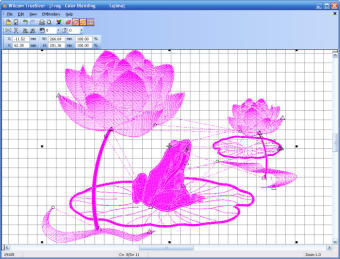
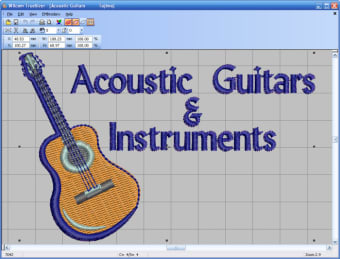
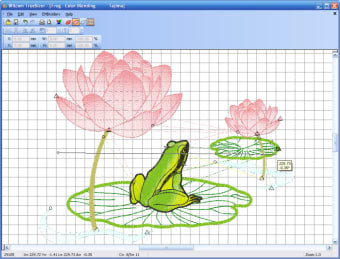
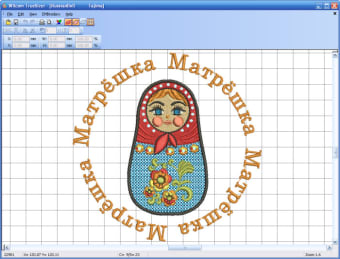
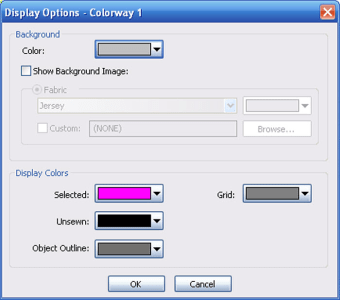
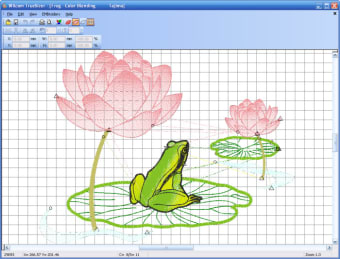
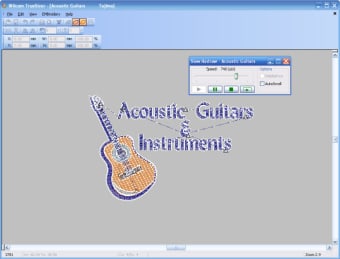
The software focuses on its core functionality—opening, viewing, and saving embroidery files while maintaining stitch density and thread colors. Its straightforward interface allows users to rotate, resize, and inspect multiple colorways with ease. These features make TrueSizer an excellent choice for those who need dependable, accurate scaling for embroidery projects. The freemium model offers flexibility, though the free version’s scope is limited to basic viewing and conversion.

Practical Features with Some Limitations

The desktop version supports multiple embroidery file types such as EMB, DST, EXP, PES, JEF, and HUS, providing compatibility with most embroidery machines. It also includes handy tools for measuring dimensions and exporting designs as images. However, the free desktop and web versions do not include editing capabilities, and resizing is available only in the Windows app. The interface, while functional, feels slightly dated, and users must register through Wilcom’s website before use.

Focused and Effective for Embroidery Enthusiasts

Wilcom TrueSizer remains a dependable choice for anyone working with embroidery files. It balances an approachable design with practical tools for viewing and conversion, giving users an easy entry into embroidery design workflows. Although its lack of editing tools and older interface may limit advanced users, its accuracy, wide format support, and reliable performance make it a worthwhile utility for hobbyists and professionals alike.


Jeremy Milliner

Jeremy Milliner has been writing professionally for several years, producing reviews, guides, and lifestyle content. He also has experience in quality assurance for video games, adding hands-on expertise to his writing. His approach emphasizes balanced, clear, and engaging analysis of products and media.

  • Pros

    • Supports multiple embroidery file formats including .EMB, DST, EXP, PES, and JEF
    • Maintains stitch quality and color accuracy during resizing
    • Lightweight and easy to navigate for beginners
    • Available in both free web and Windows desktop versions
  • Cons

    • No design editing features in free or web versions
    • Outdated interface and registration requirement
    • Desktop version limited to Windows
 0/8

App specs

  • License

    Free

  • Version

    2.0

  • Latest update

  • Platform

    Windows

  • OS

    Windows 8

  • Language

    English

  • Downloads

    218.3K

    Last month's downloads

    • 957
  • Developer

Program available in other languages


User reviews about Wilcom Truesizer

3.9

4 reviews

Add review

Main reviews for you

  • Anonymous user

    Wow! Wilcom Truesizer is a worthy to download software! Mainly because their desktop service offers a full design scalability which lets its users to endlessly enjoy editing and designing embroidery files. This software even has a file format for keeping, editing and storing embroidery files which makes it more worthy to have in you computer system.

  • Anonymous user

    Wilcom Truesizer provides the best embroidery designing experience out of all the embroidery software that I have tried. I really love the fact that I can enjoy viewing, reading and modifying embroidery files for free through this software. What I love the most in this software is it has a wide variety of files containing information about embroidery which help me to expand my knowledge about it.

  • Anonymous user

    If you are not a good embroider in real life yet, you must download this software to actually learn how to properly do it and maybe eventually you may perfectly create embroidery in actual. This software is made up of number of tools that and embroider enthusiasts can use to practice.

  • Anonymous user

    Great for home embroidery users. I am a home embroidery user and highly recommend this software as very useful to opening up design options that better fit my needs. Easy to use and great for resizing designs to fit the correct hoops or converting files within formats.

More

You may also like

Alternatives to Wilcom Truesizer

Explore Apps

Latest articles

Laws concerning the use of this software vary from country to country. We do not encourage or condone the use of this program if it is in violation of these laws.
Softonic

Is Wilcom Truesizer safe?

100/100

Score result: Clean

This file passed a comprehensive security scan using VirusTotal technology. It is safe to download.

  • Virus free
  • Spyware free
  • Malware free
  • Verified by Security Partners

    VirusTotal logo

Scan Info

Last scan
Tuesday, February 27, 2024
Scan provider
VirusTotal

Softonic security commitment

Wilcom Truesizer has been thoroughly scanned by our advanced security systems and verified by industry-leading partners. This file comes from the official developer and has passed all our security checks, showing no signs of viruses, malware, or spyware. For more information, visit our Security and Trust Center